

In today’s world, children are growing up surrounded by technology from the very start. Just like learning to read or write, developing digital literacy has become an essential skill for young learners. Preschool is the perfect time to introduce children to safe, age-appropriate ways of using digital devices. By teaching basic navigation skills, safety awareness, and responsible habits, we can help children build a strong foundation for confident and thoughtful use of technology in the future.
Basic Device Navigation and Safety Awareness
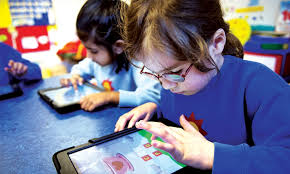
Young children need foundational skills to interact safely with digital devices. Start with simple touch gestures like tapping, swiping, and pinching to zoom. These motor skills help children navigate tablets and touchscreens confidently. Show them how to open apps, return to home screens, and adjust volume settings.
Safety awareness forms the cornerstone of digital literacy. Teach children about password protection and explain why they shouldn’t share personal information like their full name, address, or school with strangers online. Create simple rules like “ask an adult before downloading anything new” or “tell a grown-up if something makes you uncomfortable.”
Physical device care matters too. Children should learn gentle handling techniques, proper charging habits, and the importance of keeping devices clean and dry. Establish clear boundaries about where and when devices can be used, helping children understand that technology has appropriate times and places.
Understanding Digital Versus Real-World Interactions
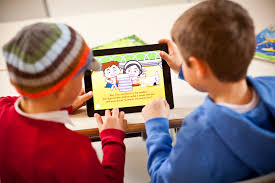
Children often blur the lines between digital and physical experiences. Help them recognize that screen characters aren’t real people who can see or hear them. Explain the difference between virtual pets and real animals, or between video calls with grandparents and playing with friends in person.
Practice identifying what’s real versus what’s created digitally. Look at photos together and discuss which ones show real places versus cartoon worlds. This skill becomes increasingly important as augmented reality and sophisticated graphics make digital content more lifelike.
Encourage children to express their feelings about both digital and real experiences. They might feel genuinely sad when a game character gets hurt, and that’s normal. Validate these emotions while helping them understand the distinction between digital consequences and real-world outcomes.

Critical Thinking Skills for Evaluating Online Content
Even preschoolers can learn to question what they see online. Start with simple concepts like asking “Who made this?” or “Is this trying to sell me something?” When watching videos together, pause to discuss whether information seems true or made-up.
Teach children to notice differences between educational content and entertainment. Help them identify when websites or apps want them to buy things versus when they’re trying to teach something new. This early awareness builds scepticism that protects them from misleading content later.
Create opportunities for children to compare information from different sources. If they’re curious about dinosaurs, show them information from multiple websites or apps and discuss similarities and differences. This practice develops analytical thinking that serves them throughout their digital journey.

Creative Expression Through Age-Appropriate Digital Tools
Digital creativity tools offer unique opportunities for self-expression. Simple drawing apps let children experiment with colors and shapes in ways that might be messy or impossible with traditional art supplies. They can easily undo mistakes, try multiple color combinations, and save their work to share with family.
Music creation apps designed for young children allow experimentation with sounds, rhythms, and melodies. These tools often include visual elements that help children understand musical concepts while creating original compositions. Photography and video creation, even at basic levels, help children develop storytelling skills and visual literacy.
Creative Tool Type | Skills Developed | Age-Appropriate Examples |
|---|---|---|
Drawing Apps | Fine motor skills, color theory, artistic expression | Toca Boca apps, Drawing Pad |
Music Creation | Rhythm recognition, audio editing, composition | GarageBand, Chrome Music Lab |
Photography | Visual storytelling, composition, digital editing | Built-in camera apps with simple filters |
Video Creation | Narrative skills, sequencing, basic editing | Stop-motion apps, simple video recorders |
Balance guided instruction with free exploration time. Children need opportunities to discover features independently while also receiving support to use tools effectively. Document their creations in portfolios that show growth over time, celebrating both technical skill development and creative risk-taking.
Conclusion
Digital literacy in early childhood is about much more than just knowing how to tap or swipe on a screen. It’s about nurturing safe habits, encouraging critical thinking, and empowering children to use technology as a tool for learning and creativity. By guiding children with clear rules, age-appropriate activities, and a balance of digital and real-world experiences, we prepare them to grow into responsible, capable digital citizens. With the right foundation, technology can be a powerful partner in their lifelong journey of discovery.